
Router Bits
Router Bit Speed and Feed Rate Guide: Stop Burning Your Cuts
Router Bit Speed and Feed Rate Guide: Stop Burning Your Cuts
Meta Title: Router Bit Speed & Feed Rate Guide (Chart + Settings)
Meta Description: Burning your cuts? This guide covers correct RPM settings by bit diameter, material, and type — with a downloadable speed chart.
URL Slug: /blog/router-bit-speed-feed-rate-guide
Target Keyword: router bit speed chart
Secondary Keywords: router speed settings, router feed rate, router RPM by bit size
Search Volume: 4,400/mo
Word Count: 1,500–1,800
Schema: HowTo + Article
AI Summary: Router bit speed (RPM) must be matched to bit diameter and material to prevent burning, rough cuts, and premature dulling. As a rule, larger diameter bits require slower RPM. This guide provides a complete speed chart by bit diameter, material-specific adjustments for hardwoods, softwoods, plywood, MDF, and melamine, explains the relationship between feed rate and RPM, and covers signs you're running at the wrong speed. A downloadable speed chart is included for shop reference.
Why Speed Matters
Running a router bit at the wrong speed is the single most common cause of:
- Burn marks on wood (especially on hardwoods like maple and cherry)
- Rough, fuzzy cuts with visible tool marks
- Premature bit dulling — heat destroys carbide faster than wood does
- Vibration and chatter — especially with large-diameter bits
- Kickback risk — overspeed increases the chance of the bit grabbing the workpiece
Most woodworkers set their router to full speed and leave it there. That's fine for small bits — but for anything over 1" diameter, full speed is too fast.
The Core Rule: Bigger Bit = Slower Speed
The cutting edge of a router bit travels along a circular path. The larger the diameter, the faster the edge is moving — even at the same RPM.
A 1/2" diameter bit at 24,000 RPM has a cutting edge speed of about 3,100 feet per minute. A 2" diameter bit at the same 24,000 RPM has an edge speed of 12,500 feet per minute — four times faster. That excess speed generates heat, causes burning, and dulls the carbide.
The solution: Slow down the RPM for larger bits.
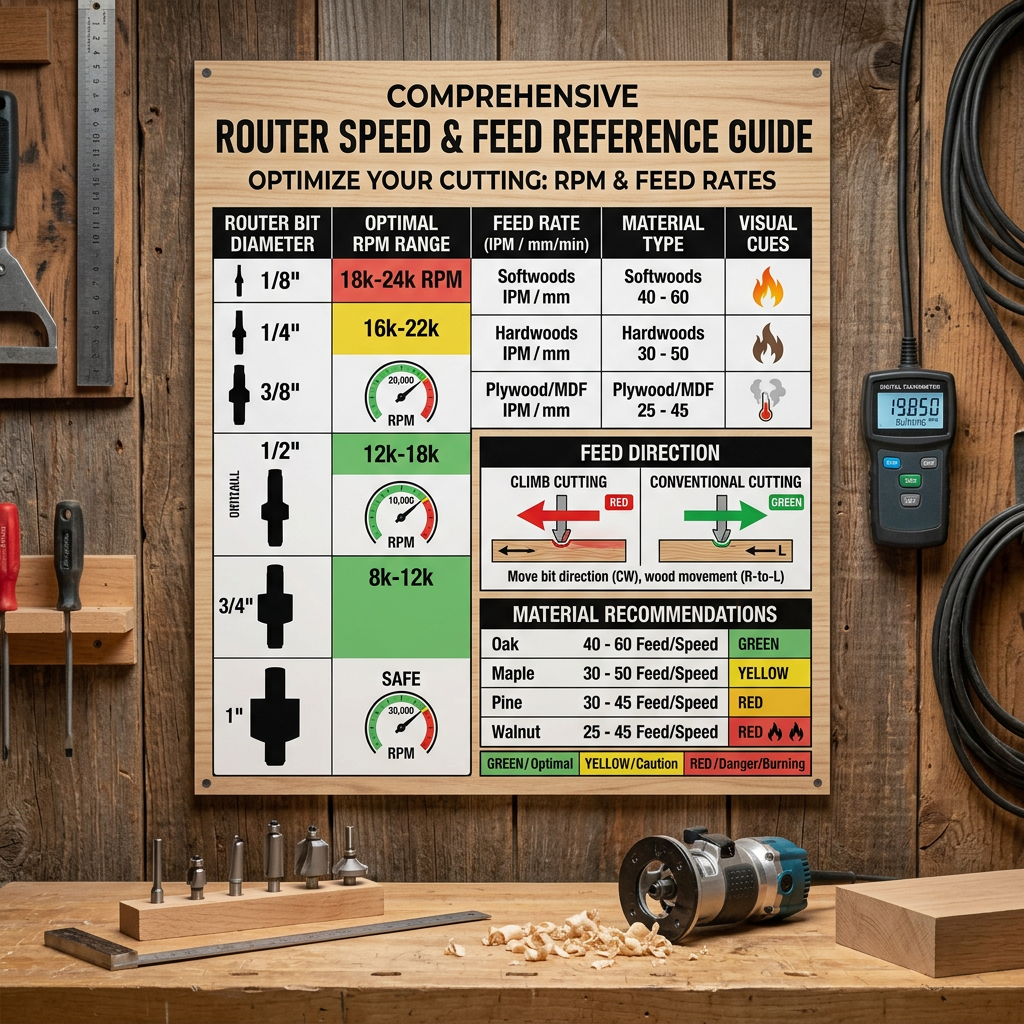
Complete Speed Chart by Bit Diameter
| Bit Diameter | Recommended RPM | Notes |
|---|---|---|
| Up to 1" | 22,000–24,000 | Most common range. Roundover, chamfer, small straight bits |
| 1" to 1-1/2" | 20,000–22,000 | Larger roundovers, cove bits, ogee bits |
| 1-1/2" to 2" | 18,000–20,000 | Large profiles, straight bits over 3/4" diameter |
| 2" to 2-1/2" | 14,000–18,000 | Large roundovers, raised panel bits |
| 2-1/2" to 3-1/2" | 10,000–14,000 | Spoilboard surfacing bits, large panel bits |
| Over 3-1/2" | 8,000–10,000 | Specialty surfacing and flattening bits |
Print This
Tape this chart to your router table or inside a cabinet door. When you change bits, check the diameter and adjust your speed before you start cutting.
Adjusting for Material
The speed chart above is a starting point for general woodworking. Different materials require adjustments:
Hardwoods (Oak, Maple, Walnut, Cherry)
- Reduce RPM by 10–15% from the chart value
- Hardwoods generate more friction and heat than softwoods
- Dense figured woods (birdseye maple, curly cherry) are especially prone to burning
- Feed rate: Moderate — too slow causes burning, too fast causes tear-out
- If burning persists at reduced speed, increase feed rate instead of further reducing RPM
Softwoods (Pine, Cedar, Fir)
- Use the chart values as-is or increase RPM slightly
- Softwoods cut easily and don't generate excessive heat
- Feed rate: Faster than hardwoods — softwood fibers shear cleanly at higher speed
- Watch for: Tear-out on end grain. Use a sharp bit and climb cutting on the final pass
Plywood and Veneered Panels
- Use moderate RPM — slightly below chart values
- Plywood glue lines are abrasive and generate heat
- Feed rate: Steady and consistent — stopping causes burning at the contact point
- Best bit: Compression spiral for clean cuts on both faces. See our straight vs spiral guide
MDF and Particleboard
- Use moderate RPM — MDF is abrasive and heat-sensitive
- Feed rate: Moderate — too slow causes friction burning, too fast causes chipping
- MDF dulls carbide faster than solid wood. Budget for more frequent sharpening
- Coated bits (CMT orange PTFE, Freud Perma-SHIELD) help reduce friction and resin buildup
Melamine and Laminate
- Reduce RPM by 15–20% from chart values
- Melamine surface chips easily at high speed
- Feed rate: Moderate to slow — rushing causes chipping
- Must use: TCG (Triple Chip Grind) or compression spiral. Straight bits will chip the surface
Plastics (Acrylic, Polycarbonate, HDPE)
- Reduce RPM by 20–30% from chart values
- Plastics melt from friction heat
- Feed rate: Faster than wood — keeps heat in the chip, not the material
- Best bit: O-flute or single-flute designed for plastics
- Cooling: Compressed air directed at the cut helps on thick material
Feed Rate Explained
Feed rate is how fast you push the router (or workpiece) through the cut. It works together with RPM to determine the quality of the cut.
The Chip Load Concept
Every router bit is designed to cut a specific chip load — the thickness of material each tooth removes per revolution. The formula:
Chip Load = Feed Rate ÷ (RPM × Number of Flutes)If chip load is too small (slow feed rate or high RPM), the bit rubs instead of cutting — generating heat and burning. If chip load is too large (fast feed rate or low RPM), the bit chatters and the cut is rough.
Practical Feed Rates
Most woodworking feed rates fall between 50 and 200 inches per minute. Here's a quick guide:
| Operation | Feed Rate | Notes |
|---|---|---|
| Edge profiling (handheld) | Moderate, steady | Let the bit do the work |
| Grooving (table-mounted) | 50–100 IPM | Consistent pressure |
| Flush trimming | 60–120 IPM | Follow the template smoothly |
| Template routing | 50–80 IPM | Slower for complex shapes |
| Dado cutting | 80–150 IPM | Multiple passes at 1/4" depth |
Signs of Wrong Feed Rate
Too slow:
- Burn marks on the wood
- Resin buildup on the bit
- Dark-colored dust
- Bit gets hot to the touch
Too fast:
- Rough, torn surface
- Chatter marks (regular ridges in the cut)
- Bit deflection (cut is wider at the entry than the exit)
- Workpiece vibrates excessively
Router Speed Settings by Router Type
Fixed-Speed Routers
Many budget routers have a single speed (typically 25,000 RPM). These are fine for:
- Bits under 1" diameter
- Light-duty edge profiling
- Trim work
For larger bits, you're stuck at full speed — which means burn marks on hardwoods and accelerated bit wear. If you use large bits regularly, consider upgrading to a variable-speed router.
Variable-Speed Routers
Most mid-range and professional routers have variable speed (typically 8,000–24,000 RPM). Common settings:
| Speed Setting | RPM Range | Best For |
|---|---|---|
| 1 (lowest) | 8,000–10,000 | Bits over 2-1/2" diameter |
| 2 | 10,000–14,000 | 2" to 2-1/2" bits |
| 3 | 14,000–18,000 | 1-1/2" to 2" bits |
| 4 | 18,000–20,000 | 1" to 1-1/2" bits |
| 5 (highest) | 20,000–24,000 | Bits under 1" diameter |
CNC Routers
CNC routers have full RPM control via software. Set RPM in your CAM software based on the speed chart. Most CNC operations run between 12,000 and 18,000 RPM.
Speed Mistakes That Ruin Cuts
- Leaving the router on full speed for every bit — the #1 cause of burning
- Slowing RPM instead of increasing feed rate — if you're burning, try feeding faster before reducing speed
- Not checking bit diameter — a 2" surfacing bit at 24,000 RPM will burn everything it touches
- Ignoring material differences — melamine and maple need different speeds than pine
- Using dull bits at high speed — a dull bit at high RPM generates maximum heat
For more mistakes and fixes, see 9 router bit mistakes that are ruining your cuts.
Frequently Asked Questions
Q: What speed should I run my router at for hardwoods?
A: For bits under 1", use 20,000–22,000 RPM. For 1" to 2" bits, use 16,000–18,000 RPM. For bits over 2", use 10,000–14,000 RPM. Always reduce speed by 10–15% from the general chart for dense hardwoods like maple and oak.
Q: Why does my router bit burn the wood?
A: Three causes: (1) RPM too high for the bit diameter, (2) feed rate too slow, (3) dull bit. Check all three. Start by reducing RPM, then try feeding faster. If burning persists, the bit needs sharpening.
Q: Can I run a small bit at slow speed?
A: Yes, but the cut quality may suffer. Small bits (under 1") cut best at 22,000–24,000 RPM. Running them slow reduces the cutting action and can cause tear-out rather than clean shearing.
Q: What happens if I run a large bit at full speed?
A: Excessive vibration, burning, rough cuts, premature bit dulling, and increased kickback risk. Always slow down for large-diameter bits.
Q: How do I know what speed my router is set to?
A: Variable-speed routers have a dial or electronic display showing the setting. Some advanced routers have tachometers that display actual RPM. If your router has no speed indicator, check the manual for the RPM range at each setting.